


Black Walnut Solid Wood Glow Tubes Digital Electronic Clock
Black Walnut Solid Wood Glow Tubes Digital Electronic Clock
Couldn't load pickup availability
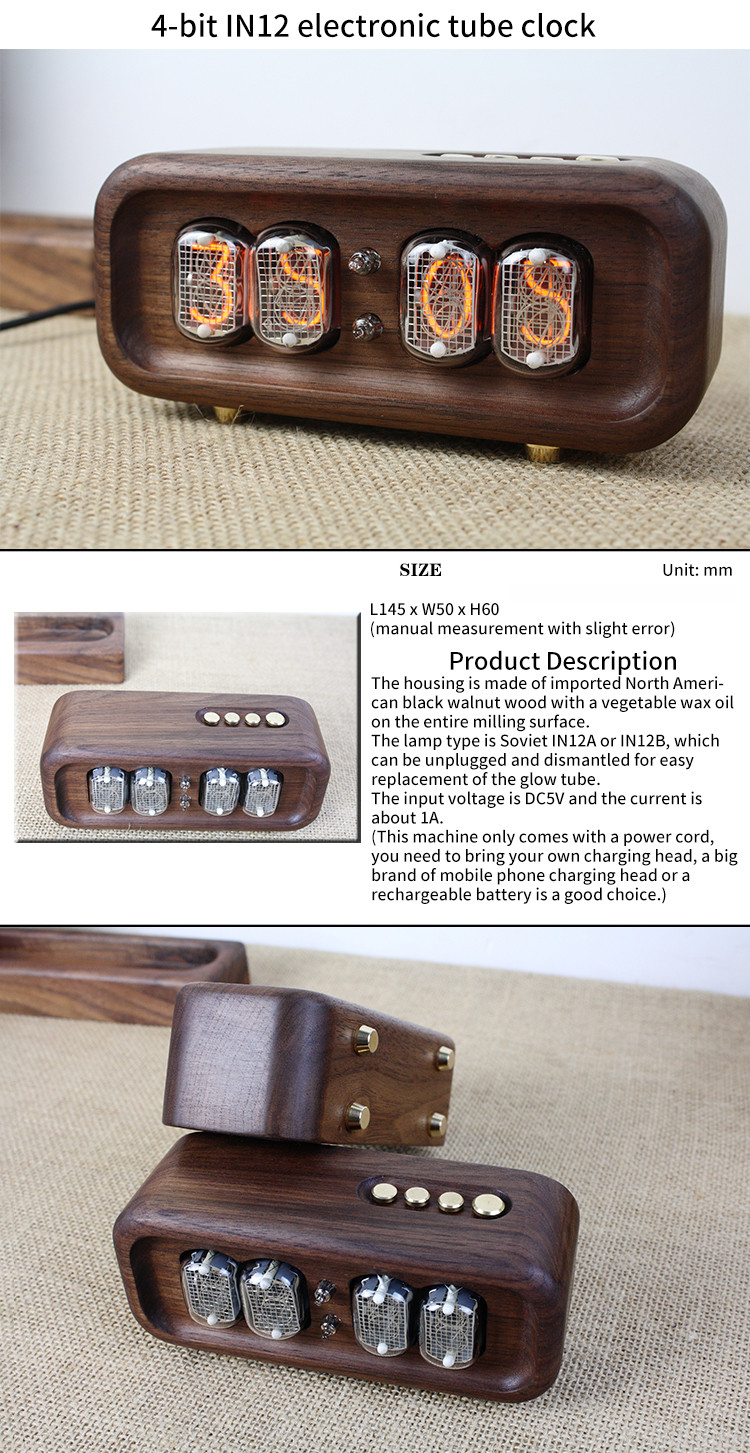
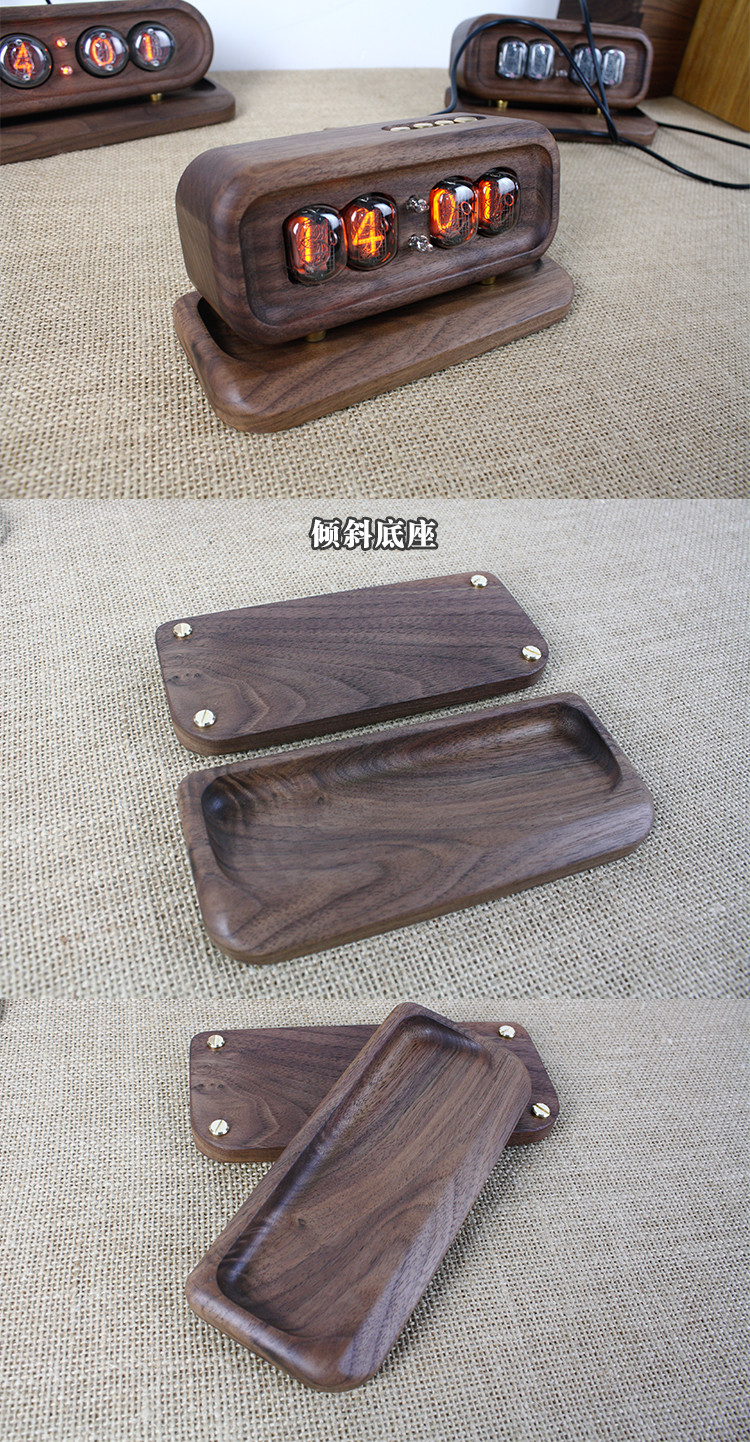
Product Size: 14.5cm long * 5cm wide * 6cm high
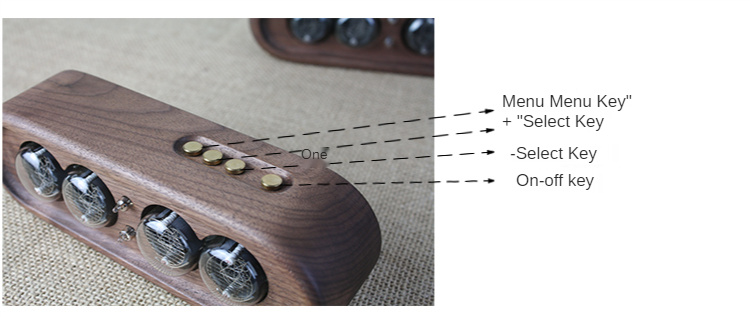
Press and hold the MENU key for about seconds to enter the setting state (with number flashing), release the MENU key, then press the MENU key to select the item to be adjusted, and adjust the value by add-substract key. When the last item is set, press the MENU key to exit the setting state, or press the power button at any time to exit the setting state. Press and hold the menu key? Enter the setting state in about seconds (with numbers flashing), release the menu key, press the Menu key to select the item to be adjusted, and adjust the value by add-substract key. When the last item is set, press the Menu key to exit the setting state, or press power button at any time to exit the setting state directly.
Press the "" key in the normal state to display the second week, year, month day, hour and minute in sequence. Press the "" key in normal state to display the second week, year, month, day, hour and minute in sequence.
Press the "one" key in normal state to display all numbers from 0 to 9 for testing Nixie tube. Press the "one" button under normal conditions to display all numbers from 0 to 9 for testing Nixie tube.
In the setting state, short press the MENU key to display the following adjustment items in sequence: in the setting state, short press the MENU key to display the following adjustment items in sequence:
| Display Serial Number | Project | Display value | Description | |
| Year Setting | 20xx | |||
| Month and day settings | ||||
| Hour and minute settings | ||||
| Second and week settings | ||||
| 1 | Anti-poisoning program time setting | o | Off (do not perform anti-poisoning procedures) | |
| 1 | Run every 1 minute | |||
| s | Run every 5 minutes | Default value | ||
| 10 | Run every 10 minutes | |||
| 20 | Run every 20 minutes | |||
| 30 | Run every 30 minutes | |||
| 2 | Delay Power off time setting (power on After that, it will be automatically closed within this time. Machine) |
o | Off (cancel the machine shutdown) | Default value |
| 1 | Shut Down After 1 minute | |||
| 2 | Shutdown After 2 minutes | |||
| 5 | Shut Down After 5 minutes | |||
| 10 | Shutdown after 10 minutes | |||
| 30 | Shut down after 30 minutes | |||
| 60 | Shutdown after 6 minutes | |||
| 3 | 1224 hour switch | 12 | 12-hour system | |
| 24 | 24-hour system | Default value | ||
| 4 | Hour, month, day, week, ten hours Blanking or not |
o | No blanking | Default value |
| 1 | Blanking | |||
| 5 | Neon lamp display settings | o | Flashing | Default value |
| 1 | Always Bright | |||
| 6 | Scheduled boot time setting | xx:xx | If it is set to 00:00, it is off. | Default off |
| 7 | Scheduled shutdown time setting | xx:xx | If it is set to 00:00, it is off. | Default off |


